 b9_1155
ad · our own product · the lazy guides, vol. 4
the lazy guide to crypto scams
the scam doesn't look like a scam. that's the whole trick.
most crypto scams don't break any technology. they break people who are rushed, hopeful, lonely or tired. this guide shows how the common scams look in real life. it covers scams aimed at a token's buyers, scams aimed at your wallet, and scams aimed at you as a person. it ends with what to do first if it already happened.
one rule runs through it: urgency is the tell. a real opportunity can wait ten minutes while you check. a scam can't.
hover or tap to flip
free reading first
not sure yet? these are free and use the same method.
-
how to spot a rug pull before it rugs you
most rugs are visible before they move. six public checks, one hypothetical, and what passing them doesn't mean.
-
wallet approvals: the permission you forgot you gave
not every drain is a rug by the team. some start with an old approval or a harmless-looking signature. how approvals, permit and revoke work.
-
whitepaper red flags in 5 minutes
you don't need all 40 pages to know something is off. one question per minute, five minutes, done.
look inside
real pages from the pdf, as they are. page numbers refer to the full guide.
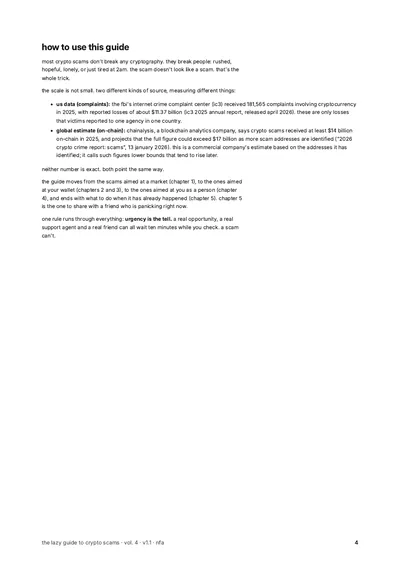
p. 4 · how to use this guide 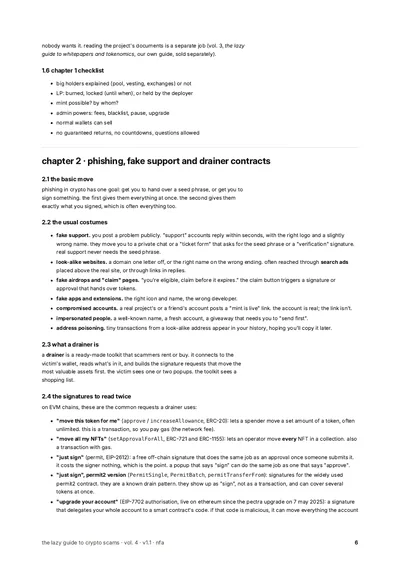
p. 6 · phishing, fake support and drainers 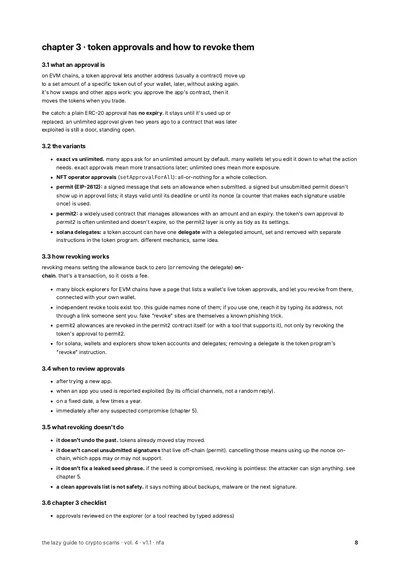
p. 8 · token approvals and how to revoke them 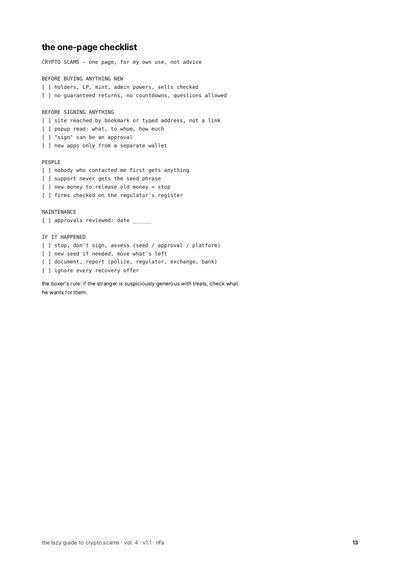
p. 13 · the one-page checklist
what you learn
- six public checks people use to spot a rug pull setup, and what passing them doesn't mean.
- the usual forms of phishing: fake support, look-alike sites, fake airdrops, fake apps, hacked accounts.
- what a drainer is, and which wallet popups to read twice, including "just sign" requests that work like approvals.
- what a wallet approval is (a permission to move your tokens later), how to check one, how to cancel it, and what cancelling can't undo.
- how "pig butchering" scams unfold step by step, and how to talk to someone caught in one.
- what to do first if it happened: stop, work out what leaked, write it all down, report it.
- why "recovery" offers after a scam are almost always another scam.
heads-up: stop sending money and stop signing anything from that wallet. ignore anyone who contacts you offering to get it back. you don't need to buy anything to do that.
what's inside
- anatomy of a rug pull
- phishing, fake support and drainer contracts
- token approvals and how to revoke them
- pig butchering and "friendly" strangers
- it happened. now what?
five chapters, an incident log, a one-page checklist, a glossary and official and technical sources.
who it's for
- you approve things in your wallet and aren't always sure what they do.
- you want to help a friend or relative spot the common tricks.
- you want a calm plan for a bad day.
who it's not for
- you want someone to recover lost funds for you. anyone promising that is usually the second scam.
- you want legal advice. laws differ by country. check the rules where you live.
- you want a guarantee. nothing can promise you won't be scammed.
get the pdf
ad · our own product. $3.99, one time. tick the box, then pay with bitcoin lightning. the download appears on this page as soon as the payment goes through.
$3.99 one-time · pdf · no account
creating invoice…
in the x app? "open in wallet" may do nothing: tap copy invoice and paste it in your wallet, or open this page in your browser. expires in 15:00.
keep this page open. the download appears here when paid. receipt: bookmark this link.
paid. thanks. link valid 24h.
re-download for 12 months: your receipt page (bookmark it).
invoice timed out. if you didn't pay, nothing was charged.
paid it anyway? your receipt page still checks and delivers.
price $3.99. lightning: sold by the seller shown here when checkout opens. broken, missing or not what the page described: a working file or your money back. contact: rektnotrich@tuta.io. this doesn't limit your rights where you live.
no account, no cookies at checkout. we keep the order id, course and the ref/utm tag of the link you came from, nothing else. privacy.
questions
can this get my money back?
no. chapter 5 covers what to write down and where to report it. reporting rarely brings money back quickly, but it still matters.
does it name scam projects, people or tools?
no. no real project, company or person is accused of anything. no scanner or revoke tool is named.
does it cover my chain?
approvals and signatures are explained for ethereum and chains that work the same way, with notes for solana. the people-focused chapters apply everywhere.
how much is it?
$3.99, one time, for one pdf. no subscription. each guide is sold on its own.
how do i pay?
with bitcoin lightning only. any lightning wallet that can pay a standard lightning invoice works. the invoice appears right on the page, no account needed. card, apple pay and on-chain bitcoin are not offered right now.
why does the invoice expire?
the price in sats moves with the bitcoin price, so each invoice holds it for 15 minutes. after that, make a new one with one click. if you didn't pay, nothing is charged.
when do i get the pdf?
right after the payment goes through, a download button appears on the same page. the link works for 24 hours. your receipt page lets you download again later. bookmark it.
do i need an account or an email?
no account, no email needed. your receipt page is your confirmation; save the receipt pdf.
what is the checkbox for?
the pdf is delivered right away. where you have a right to cancel a purchase, it ends once the download starts. the box asks you to confirm that. it is never ticked for you.
"open in wallet" does nothing.
that happens in some in-app browsers, like the x app. tap "copy invoice" and paste it into your wallet, or open the page in your normal browser.
who is the seller?
rektnotrich (contact: rektnotrich@tuta.io). the same seller line is shown in the checkout before you pay and on your receipt.
what if the file is broken?
broken, missing or not what the page described: a working file or your money back. contact: rektnotrich@tuta.io. this doesn't limit your rights where you live.
what do you keep about me?
the order id, which guide, and the tag of the link you came from. no account, no cookies at checkout. → /privacy/
is this financial advice?
no. it's education. nothing in the guides tells you what to buy, sell or hold.
words used in this guide
- rug pull
- when the people behind a token or project take the money and leave.
more
it can be fast (one transaction drains the liquidity pool) or slow (insiders keep selling). the setup a rug needs is often visible on a block explorer beforehand. - phishing
- tricking someone into handing over a secret or signing something, usually through a fake site, message or support account.
more
in crypto the goal is either your seed phrase or a signature. look-alike websites, fake airdrops, fake support and fake apps are the common forms. - fake support
- scammers who pose as a wallet's or exchange's support staff.
more
they often reply within seconds to public help requests and move the chat somewhere private. real support never needs your seed phrase. - drainer
- a ready-made scam toolkit that empties a wallet once it is connected.
more
it reads what the wallet holds and builds signature requests that move the most valuable assets first. the victim sees one or two harmless-looking popups. - wallet approval
- a permission that lets a smart contract or address move a set amount of one of your tokens later, without asking again.
more
it is how swaps and other apps work. a plain ERC-20 approval has no expiry (some newer approval systems add one) and is often unlimited, so an old approval to a contract that is later hacked is still an open door. - revoke
- cancelling a wallet approval on the blockchain: setting it back to zero, or for NFTs, switching it off.
more
it is a transaction, so it costs a fee. it stops future pulls, but it does not bring back tokens already taken, and it does not help if the seed phrase has leaked. - permit signature
- a free, off-chain signature that works like an approval once someone submits it (on tokens and apps that support it).
more
it costs the signer nothing, which is the point for scammers: a popup that says "sign" can do the same job as one that says "approve". it does not show up in approval lists until it is used. - address poisoning
- sending tiny or zero-value transfers from a look-alike address so the victim later copies the wrong address from their history.
more
the fake address starts and ends with the same characters as a real one. checking the whole address, not just the first and last few characters, defends against it. - pig butchering
- a long-con investment scam built on a fake friendship or romance.
more
the scammer builds trust for weeks, shows fake profits on a fake platform, then blocks withdrawals until more money is paid. the balance was never real. - recovery scam
- a second scam aimed at victims, offering to get lost crypto back for a fee.
more
anyone who contacts you offering to recover crypto is very likely part of the problem. real help is something you look for through official channels.
other topics
nfa. education, not advice. not personal advice.
education, not financial, investment, tax or legal advice. no recommendation to buy, sell or hold any crypto-asset. examples are made up or hypothetical. you can lose everything you put into crypto.